Business Base Features
Campaigns
Send one email or a timed series to the contacts and lists in your Business Base CRM.
InPreflight (not included)Takeoff (not included)Cruise (not included)Orbit
Included with Orbit, or as an add-on. Text campaigns need a separate SMS add-on.
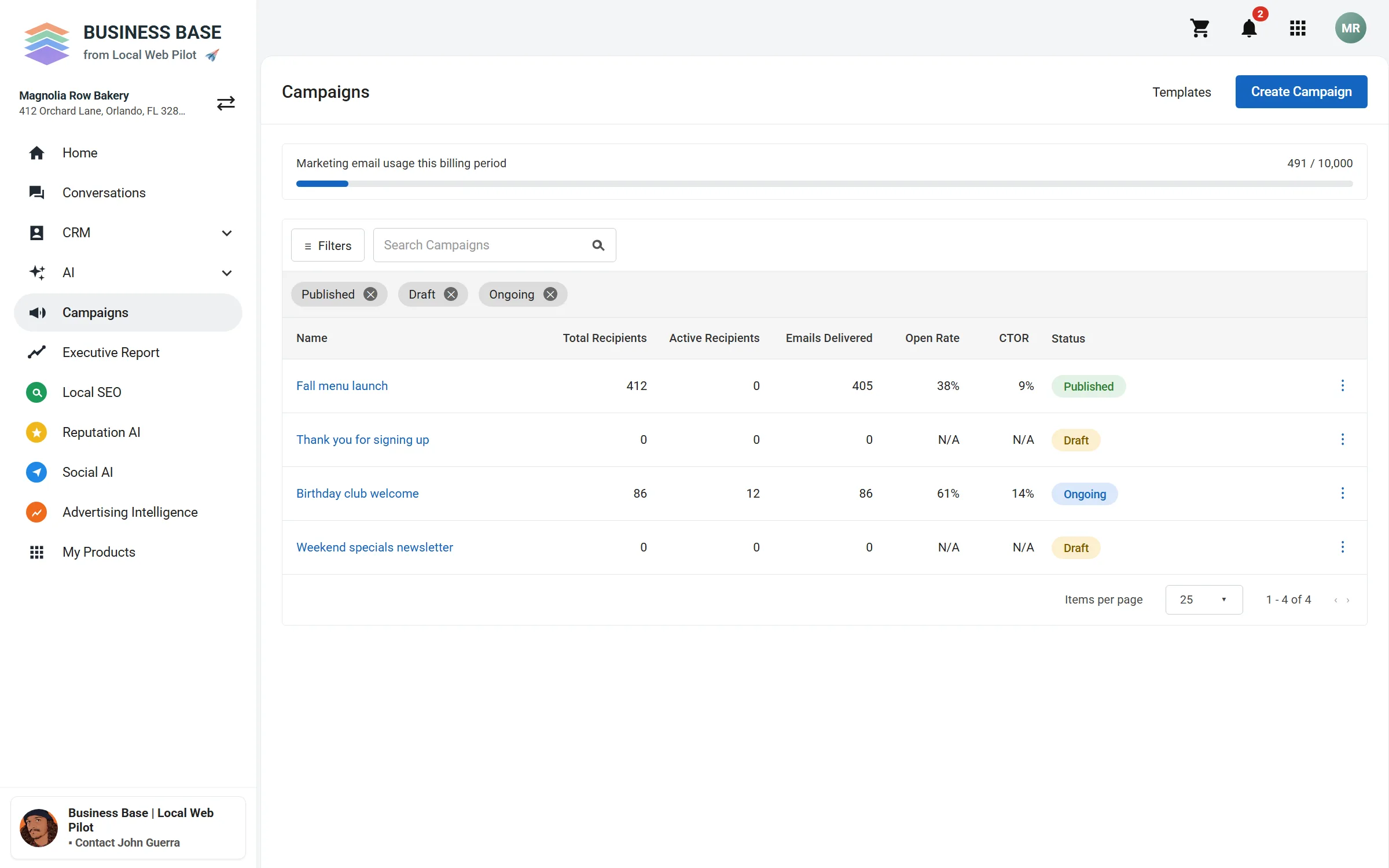
Your campaigns in one list
See each campaign's recipients, deliveries, and opens, and whether it is a draft, published, or ongoing.
What you see
- Four sample campaigns, with their status.
- Sample sends and opens for each campaign.
How a campaign is built
- Pick who gets itA list from your CRM, or contacts you filter.
- Write the emailStart from a template or a blank email, and add each person's details with merge fields. AI can help with the writing.
- Send or scheduleOne email, or a series with a wait between steps.
What it needs
- Your sender name and email, set in the app.
- A mailing address in your business profile.
- Your contacts in the CRM, with their consent where it is required.
Plan your first campaign
Book a time to talk through who you want to reach and what to send.